The Light Meter Goes Into the Prompt: A Studio Budget for AI Renders
Lighting Is Not a Vibe; It Is a Specification
Most AI image prompts treat lighting as a cluster of mood words: cinematic, soft, dramatic, golden. Those words are not useless, but they are not a studio setup. When a client asks for a clean beauty render or a product still with controlled reflections, the difference between a usable frame and a costly retry usually comes down to four measurable variables: key-to-fill ratio, modifier size, color temperature, and falloff. If those variables are left implicit, the model fills the gap with its own defaults, and the designer spends the next hour recovering a look that should have been specified at the start.
The practical response is to give lighting its own line item in the prompt budget. That does not mean writing longer prompts. It means deciding, before the first render, which lighting choices are fixed, which are variable, and how many iterations the project can afford. For studios working with US art directors and campaign timelines, this approach turns lighting from a source of drift into a controlled production input.
Four Numbers Before the First Render
A lighting budget begins with a short specification that can travel from brief to prompt to review. The first number is the key-to-fill ratio. A 2:1 ratio suggests gentle modeling with open shadows; a 4:1 ratio introduces more contrast and shape; an 8:1 ratio pushes toward dramatic separation. The exact numbers matter less than naming them. Once the ratio is agreed, the prompt can describe the relationship between primary and secondary light instead of relying on the word “dramatic.”
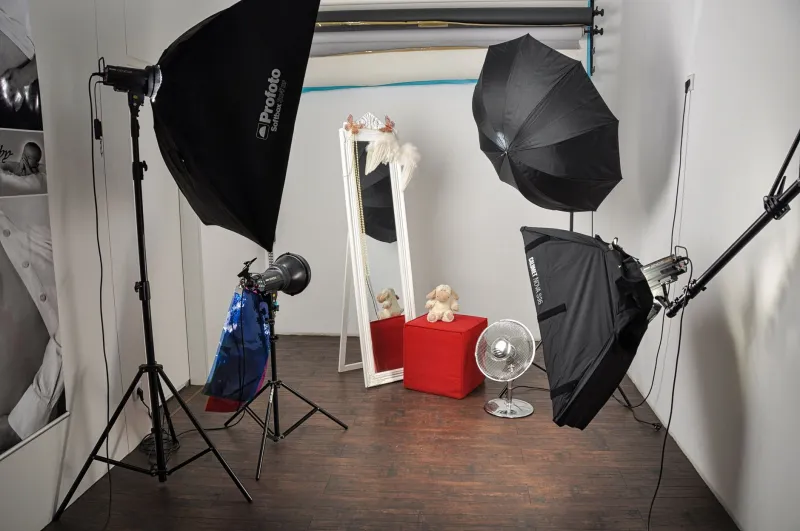
The second number is modifier size. A large softbox or diffused source produces broad, wrapping highlights; a small source produces sharper transitions and more defined shadows. In a prompt, this can be expressed as large diffused key light, narrow strip light, or bare source with a grid. The third is color temperature. A neutral 5600K key with a warmer fill at 3200K creates a different color story than matched daylight sources. The fourth is falloff: how quickly light drops from subject to background. Fast falloff isolates the subject; slow falloff keeps the set readable. Together, these four choices form a compact lighting contract.
The Test Grid as a Model Comparison Tool
A test grid is the most efficient way to learn how a given AI image model interprets lighting language. Build a small matrix: four lighting specifications across three or four models, with the same subject, framing, and material description held constant. Keep the grid deliberately plain. A neutral still-life object or a simple portrait bust is enough; the goal is not a portfolio image but a behavioral readout.
Run the grid at low resolution first. Label each cell with the lighting specification, not the model name alone. Review the results for three things: whether the key-to-fill ratio is visible, whether the modifier size reads in the highlight shape, and whether the falloff is consistent between subject and background. A model that honors ratio but ignores falloff is not necessarily worse; it is simply a model that needs a different prompt structure. The grid tells you where to spend words and where to stop spending them.
This method also gives the studio an iteration estimate. If a model routinely collapses a 4:1 ratio into flat lighting, the project may need two extra review rounds unless the prompt is reweighted. That is a budget fact, not an aesthetic complaint. Art directors can approve a lighting target with more confidence when the test grid shows how each model responds.
Locking the Setup Without Freezing the Campaign
Once a lighting specification survives the test grid, document it as a reusable block. The block should include the ratio, modifier description, color temperature, falloff, and any negative constraints such as “no colored rim light” or “no hard shadow on background.” Keep the block separate from subject and styling language so it can be reused across a campaign without dragging unrelated prompt debt forward.
Locking the lighting block does not mean every render must look identical. It means the studio knows which variables are allowed to move. A client may approve a 3:1 ratio for hero images and a 5:1 ratio for social crops; both can share the same modifier and color temperature. The budget is the stable layer, not the creative ceiling.
A Briefing Checklist for US Studio Teams
Before a campaign enters production, confirm the following with the art director and the render lead:
- The lighting target is written as a ratio, modifier size, color temperature, and falloff, not as a mood word alone.
- The test grid has been run on the models under consideration, with the same subject and framing held constant.
- The review team knows which lighting variables are fixed and which may change by deliverable.
- The iteration estimate includes a small buffer for model-specific lighting drift.
- The approved lighting block is stored separately from subject, styling, and background prompts.
- The client has seen at least one side-by-side comparison under the agreed ratio and modifier size.
Lighting is one of the few prompt variables that can be measured without pretending the image is a physics simulation. Treat it as a line item, give it a test grid, and the studio gains something more useful than a beautiful accident: a repeatable setup that survives the next client review.